
A stress-free HACCP audit — how to prepare monitoring reports
HACCP audits and temperature monitoring reports without the nerves: continuous history, signed PDFs and a deviation log that will convince the inspector.
Zespół Nextriv4 min read

A HACCP audit and monitoring reports are, for many establishments, what keeps people up at night the day before an inspector's visit: a frantic hunt for notebooks, filling in missing entries "from memory" and hoping nobody asks about the overnight failure from three weeks ago. Yet well-run monitoring reverses the situation — the report that normally takes half a day to assemble is generated in minutes, and the history speaks for itself. In this article we show how to prepare documentation that turns the HACCP audit from a memory test into a routine confirmation of what the system records every day anyway.
What the auditor is really looking for
A health inspector or quality system auditor does not expect a pile of paper — they expect proof that food safety supervision actually worked. In practice it comes down to a few questions:
- Was the monitoring continuous? That is: are there no gaps in the history, especially at night and on weekends.
- Were the critical limits kept? And if they were exceeded — did anyone respond, and when.
- Is the data credible? Meaning unaltered after the fact and coming from a device that can be trusted.
- Is there a record of corrective actions? What happened when the temperature ran out of range.
A paper register loses on every one of these points: spot readings leave gaps, entries get filled in later, and "correcting" an inconvenient reading is trivially easy. Automated monitoring answers all four questions with a single data set — provided you set it up well beforehand.
The foundation: a continuous, tamper-proof history
A report is only as good as the data behind it. The foundation of audit preparation is therefore continuous recording without gaps. In a monitoring system, every control point measures temperature every few to a few dozen minutes, around the clock, and buffers the readings locally — when connectivity drops out for a moment, the sensor keeps measuring and re-sends the backlog by itself once the network returns. The result is a gap-free chart, even if the internet went down overnight.
Measurement history is available for a full year already on the free plan, and for up to 5 years (1825 days) at most — which usually covers, with room to spare, the horizon an auditor asks about. Raw data can be exported to XLSX or CSV at any time when someone wants to run their own numbers. How long to keep data and how retention translates into inspection readiness is covered in more depth in our piece on measurement data retention for audits.
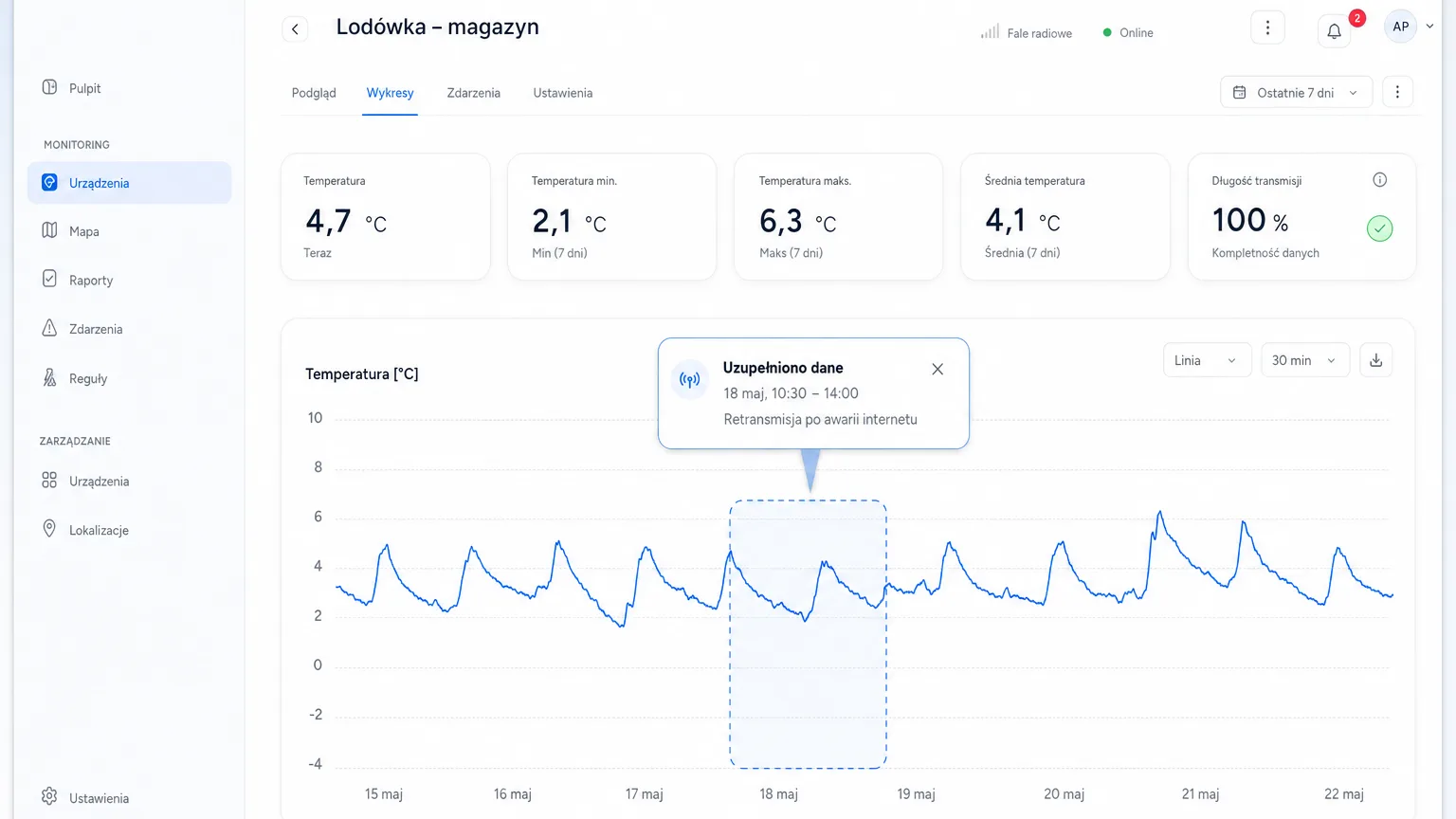
Reports for a HACCP audit: from summary to signed PDF
From the continuous history, the system assembles the report that goes into the audit file. In the basic variant, the PDF report contains a summary and charts — enough for day-to-day documentation. The extended variant adds:
- Statistics and percentiles — how much time the parameter spent in range, what the extreme values looked like.
- A threshold compliance section — a clear statement of whether and when the critical limits were kept.
- Scheduled reports — daily or weekly, generated automatically and delivered to the chosen addresses, with no remembering before the audit.
The strongest argument in a conversation with an auditor is the cryptographic signature: reports can receive a SHA-256 signature with a QR code and a verification address. Anyone — the inspector included — can then check that the document has not been changed since it was generated. That closes the data credibility debate before it even starts.
The deviation log as a record of corrective actions
The auditor cares not only about the "all in range" periods, but above all about the moments when something went wrong. Here, alarm events serve as a ready-made record of corrective actions. Every threshold breach opens an event with a unique ALM code that goes through a clear lifecycle: active → acknowledged → resolved. The team adds comments to the event — what the cause was, what was done with the stock, who made the decision.
As a result, instead of explaining from memory "I think we moved the stock to the other fridge that time", you show a timeline: when the temperature crossed the limit, who acknowledged the alarm and when, what comment they wrote and when the parameter returned to normal. Deduplication meanwhile makes sure one problem is one thread, not an avalanche of repeated notifications. How to build such supervision from the ground up — from designating the points to setting the thresholds — is described in critical control points (CCPs) in food service.
A credible device at the source
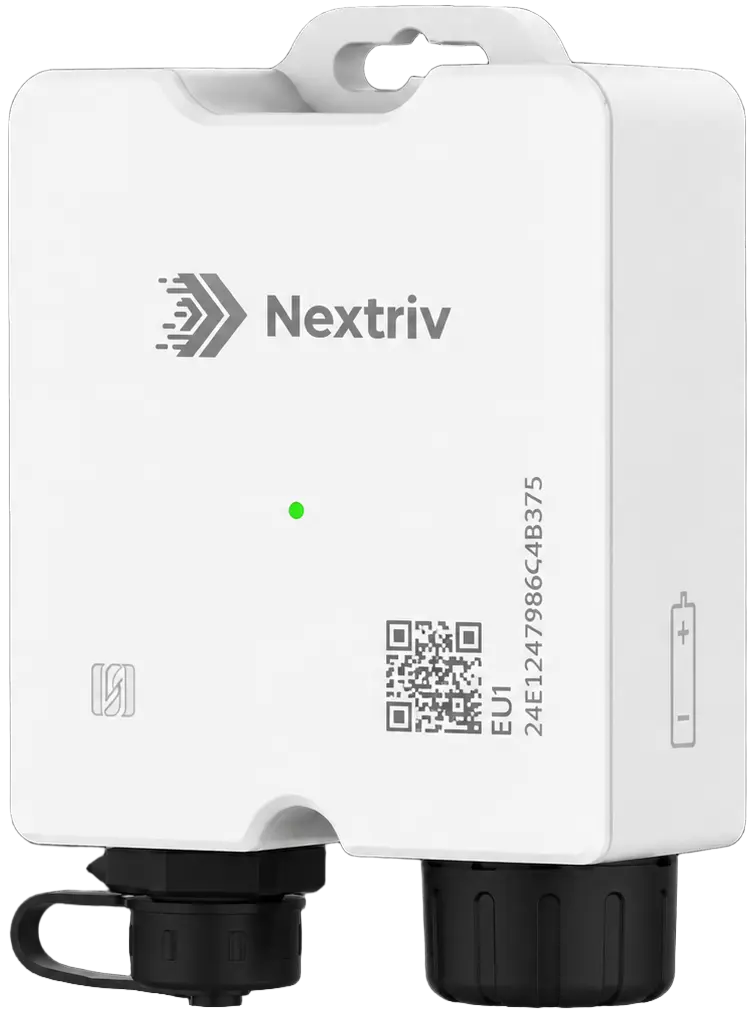
All the documentation rests on the assumption that the measurement at the source is sound. That is why critical points deserve a logger certified to EN 12830 — the standard for temperature recorders in the cold chain. Where quality depends not only on temperature but also on humidity (ripening rooms, dairy and deli chambers, sensitive warehouses), Nextriv Probe Duo fits the bill — a logger with a detachable dual-parameter probe measuring temperature (−40…+125 °C, ±0.2 °C accuracy) and humidity (0–100% RH, ±2% RH) from a single measurement point.
Three traits of this device matter for the audit: a buffer of 4,000 readings with retransmission (continuity of record), a detachable probe with its own identifier reported in the data (calibration traceability without a gap in supervision) and exceptionally low drift — below 0.03 °C and 0.2% RH per year — so the intervals between calibrations stop being guesswork. A calibration log with due dates, certificates and reminders closes the audit path: from device to signed document.
A pre-audit checklist
For a HACCP audit without the nerves, a few days before the visit walk through a simple list:
- Check history completeness. Make sure no sensor is stuck in offline status and the charts show no unexpected gaps.
- Verify the thresholds. Do the limit values in the alert rules match the current HACCP plan.
- Review open events. Close and comment on alarms that were resolved but never written up.
- Generate the report for the audit period. Ideally the variant with the compliance section and the signature — and check that the verification link works.
- Confirm calibration dates. Make sure no device has an overdue calibration; the calibration log will remind you of the due dates.
Put this routine permanently in the calendar — then "audit preparation" comes down to a click, not a late-night marathon with notebooks. The full scenario for food service — from sensors in the chambers to signed PDFs — is described on the food service solution page.
What does it cost?
Starting is free: the FREE plan covers 10 sensors, 1 gateway, 2 users, 5 alert rules and a full year of measurement history with PDF reports (summary and charts). The PRO plan (99 PLN net per 30 days or 990 PLN net per year, excl. VAT) adds what supports audits the most: scheduled reports, statistics and compliance sections, the SHA-256 signature with a QR code, and 5 years of history.
Compare the plans in the pricing or book a short demo — we will generate a sample audit report on live data during the call.


