
Alarm Escalation in a Pharmacy — Who Gets Notified, and When
Alarm escalation in a pharmacy step by step: who gets notified and when, how to build the escalation ladder, quiet hours and acknowledging events.
Zespół Nextriv5 min read

In this article
- Alarm escalation in a pharmacy — why a single SMS isn't enough
- From threshold to event: before escalation kicks in
- The escalation ladder, step by step
- Quiet hours, rate limits and acknowledgements
- The fridge sensor that starts the chain
- Escalation is part of a bigger oversight picture
- Build the ladder before the service company calls
A medicine fridge doesn't pick a convenient time to fail. The compressor can stop on a Friday at 11 p.m., three hours after the last technician went home, with nobody due back until Monday morning. An alarm alone isn't enough then — the question isn't "will the system notice the deviation" but "who will receive it, and what happens if nobody does". Alarm escalation in a pharmacy is the answer to that second question: a path laid out in advance that keeps passing the notification to the next person until someone acknowledges it. In this article we take that path apart — who gets notified and when, how to set thresholds and delays, and how to document that the alarm actually got through.
Alarm escalation in a pharmacy — why a single SMS isn't enough
The simplest scenario looks like this: a fridge sensor crosses a threshold, the system sends an SMS to the manager, case closed. It works — until the manager's phone sits muted in a drawer, until the manager is on holiday, and until the failure happens at night. In a pharmacy the on-call rota is often a single person, and after hours there's no one at all, so a single notification to a single person has one simple flaw: there's no fallback plan.
Escalation turns a single point of contact into a chain. If the first person doesn't react within the allotted time, the notification moves on — to the next person, a group, or an external contact such as the refrigeration service. It's the difference between "we sent an alarm" and "we made sure someone handled it". For medicines that can't be saved after a dozen hours out of range, that difference is literally the difference between a discarded and a rescued batch.
From threshold to event: before escalation kicks in
Escalation doesn't start immediately — an event has to be created first. In Nextriv, every metric has four thresholds available: two warning (lower and upper) and two critical. That way, in a vaccine fridge you can simultaneously watch the narrow 2–8 °C product window as a warning and the limit beyond which the batch is at risk as a critical alarm. Every event gets a severity level (information, warning, critical alarm) and its own ALM-XXXXXX code, which makes it easy to find in the history.
An important detail: the system ensures that one sensor and one metric have only one active event at a time. A door opened every few minutes won't bury the on-call pharmacist under a stream of identical SMS messages — as long as the deviation persists, it's still the same event. Silence is an alarm too: if a sensor stops reporting (by default after twice its reporting interval, typically around 30 minutes), or a gateway goes quiet for 15 minutes, the system treats it as a loss of oversight and can trigger a notification as well. A dead sensor in a fridge is just as dangerous as a crossed threshold — because it means you've stopped seeing what's happening to the medicines.

The escalation ladder, step by step
An escalation is an ordered list of steps, and every step has three settings: a delay, a condition and a recipient.
- The delay says how long the system waits after the previous step before moving on — for example 0 minutes for the first notification, 10 minutes to the second, 20 to the third.
- The condition decides whether the step runs at all. There are three to choose from: always, if not acknowledged and if not resolved. It's what stops the chain once someone takes ownership of the event.
- The recipient is a user, an entire recipient group, a system role or an external contact (someone outside the account — e.g. a service technician without a login).
In a pharmacy, a typical ladder looks like this:
- 0 min — push and SMS to the on-call pharmacist.
- after 10 min, if nobody has acknowledged — SMS to the pharmacy manager and a post on the team channel (Microsoft Teams or Discord).
- after 20 min, if still unacknowledged — phone call and SMS to an external contact: the refrigeration service.
Every step has its own rate limit, so escalation never turns into a notification avalanche. Notifications flow through six channels — email, SMS, web push, Microsoft Teams, Discord and an in-app audible alarm — and for automation there are webhook integrations that can forward the event to an external system.

Quiet hours, rate limits and acknowledgements
A well-built escalation protects not only the medicines but also the people, guarding against alarm fatigue. Three mechanisms serve that purpose.
Quiet hours mute less important notifications within defined windows — with the key point that muting is a deliberate decision, not an accident: a critical alarm from the fridge at night must reach its recipient regardless. The rate limit ensures one recipient doesn't get more than three notifications within five minutes — no more dozens of messages from the same, still-ongoing event.
The most important mechanism, though, is acknowledgement. An event moves through three statuses: active → acknowledged → resolved. Once the on-call person acknowledges the alarm, the "if not acknowledged" condition is no longer met and the escalation stops — the manager and the service company won't receive unnecessary SMS messages. Every event can carry a comment ("compressor reset, temperature recovering"), and the system records a delivery audit: to whom, via which channel and at what time each notification was delivered. That record is what answers the auditor's question "did anyone even know about the deviation" — with hard evidence, not a declaration. When the temperature returns to range, the system sends a back-to-normal notification, so the on-call person knows the matter is closed.
The fridge sensor that starts the chain
All of this logic only works when data flows in without gaps — and in a pharmacy fridge that's not a given. The metal enclosure attenuates the signal, and brief door openings produce false spikes in air temperature.
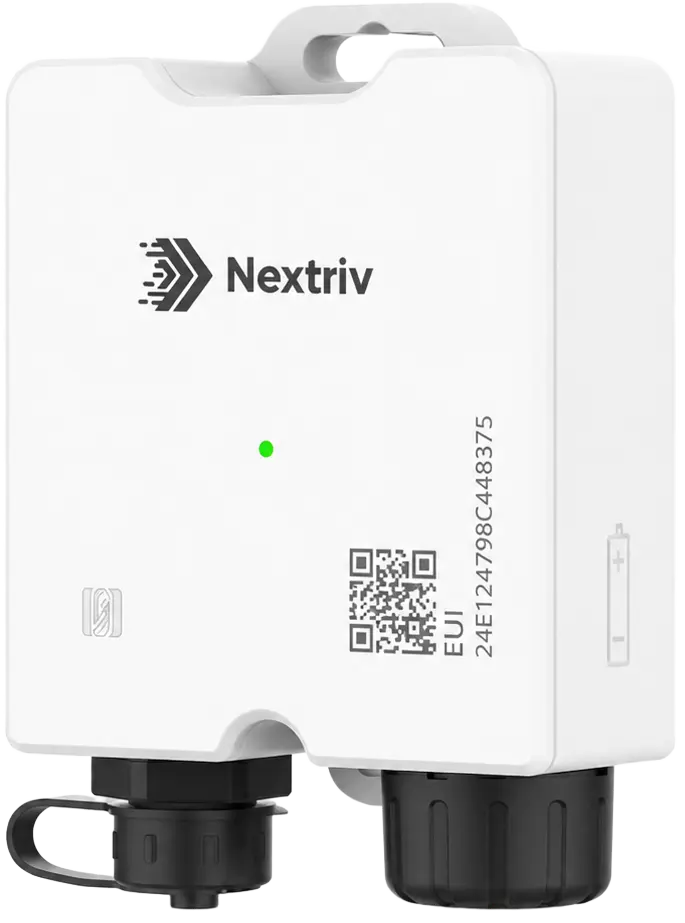
At the point where a loss hurts most, a data logger like the Nextriv Probe Solo earns its keep: the transmitter stays outside the fridge, only the detachable corded probe works inside the compartment, and a probe immersed in a thermal buffer mirrors the thermal inertia of the product, not the air — no more false alarms every time someone reaches for a vial. A 4,000-measurement buffer with retransmission keeps the record continuous if connectivity drops for a moment, and EN 12830 certification places the device in the class of refrigeration data loggers, not ordinary room sensors.
Escalation is part of a bigger oversight picture
The notification ladder is the most visible element of medicine oversight, but not the only one. The threshold-and-event logic is shared with refrigeration as a whole — we covered it in more depth in our article on cold storage zone monitoring, and we showed how to define critical limits using the example of critical control points (CCP). In a pharmacy or clinic, the same platform ties medicine fridges, documentation and notifications into a single workflow — the full scenario is described on our healthcare solutions page.
Escalation only proves itself once it's been rehearsed, not merely configured: it's worth triggering a test every so often, checking that the SMS arrives and that the chain stops after acknowledgement. Five minutes of drill can save a batch of medicines that could never be recovered.
Build the ladder before the service company calls
The worst moment to design an escalation is when the fridge is already down. Lay it out in advance: who's first, after how long the next person, when the service company. The FREE plan covers 10 sensors, all notification channels and five alert rules — enough to test the idea on a single fridge; more elaborate scenarios with recipient groups and external contacts come with the higher plan described in the pricing section.
Book a short demo — we'll show you how to build an escalation ladder for your fridges and what the notification delivery audit looks like on live data.


