
Room- and device-level energy monitoring — where to start
Energy monitoring at room and device level: smart plugs with kWh metering, remote readout of existing sub-meters and alerts — and where to start.
Zespół Nextriv4 min read

Energy monitoring in most companies begins and ends with the invoice: one number for the whole facility, once a month, weeks after the fact. Nothing follows from such a number except that it is "a lot" — you cannot tell which floor, which room or which device generated it, so every attempt at saving comes down to appeals to switch the lights off. You can only manage what you measure, and you have to measure one level down: the room, the zone, the individual device. The good news is that this requires neither rebuilding the switchboard nor rolling out a building automation system — two device types and a plan for the first month are enough.
Why energy monitoring has to come down to room and device level
The invoice averages everything. The same amount contains the server room running 24/7, the office kitchen, the conference room air-conditioning and forty monitors on standby. As long as only the total is visible, the savings debate is sterile: every department points at another and nobody has the data to settle the argument.
The second problem is time. The bill arrives after the month closes — by which point an electric heater left running continuously in a rarely used room has already clocked up several hundred hours. Continuous measurement shows the consumption at the moment it happens, not in a settlement after the fact.
The third — and most underrated — is after-hours operation. "Energy vampires", the devices idling through nights and weekends, do not look threatening one by one, but at floor scale they can make up a noticeable share of the bill. Without per-device measurement nobody sees them, because none of them is impressive on its own.

Step 1: a metering plug for individual devices
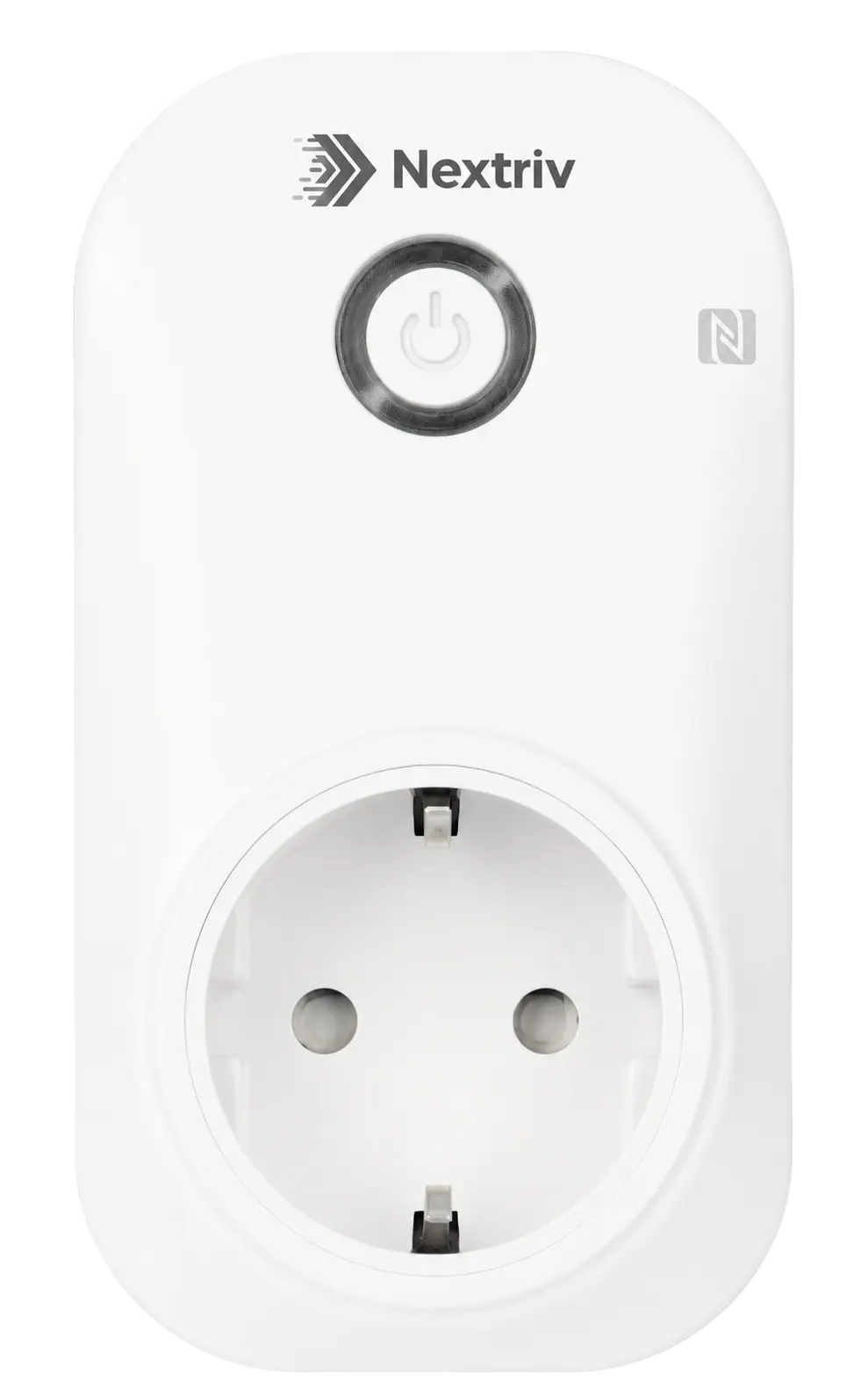
The fastest way to measure a specific load is an in-line plug with a built-in sub-meter — you put it between the device and the wall socket, and from that moment you see the voltage, current, active power, power factor and accumulated kWh of that one appliance. No electrician, no touching the wiring, no downtime. Nextriv Control Plug handles loads up to 16 A at 250 VAC — practically anything that plugs into an ordinary socket, from a water dispenser to a heater.
Measurement is only half the value, though. The plug is mains-powered and listens for commands continuously, so an "off" command from the platform executes almost instantly — and a schedule can switch printers, coffee machines and monitors off at 19:00 and back on before the team arrives. Group control switches many plugs at once with a single command: a whole floor "off" in one go. On top of that come two alarms you get almost as a bonus: overcurrent (overload protection) and loss of power at the socket — the latter can be the cheapest early-warning system for a fridge or a chilled display case full of stock.
Step 2: remote readout of the sub-meters already on the wall
Many facilities already have energy sub-meters — and next to them water and gas meters: working, certified, only read once a month with a notebook in hand. Instead of replacing them, it is enough to attach a pulse-counting module to the meter's pulse output (dry contact, reed switch or open collector — the vast majority of meters with a pulse transmitter on the market). Every pulse becomes a remote reading, and the meter total updates in the platform continuously.
The devil is in the reliability of the counting: contact bounce and noise in switchrooms can inflate the readings, which is why the module filters out pulses shorter than 250 µs (a configurable threshold). The IP67 enclosure lets it be mounted where the meters actually hang — in basements, switchrooms and pits — and the replaceable battery runs for years with no cabling.

A facility kitted out this way measures energy at two levels at once: the sub-meters show zones and floors, the plugs — specific devices. When one zone stands out from the rest, a metering plug will identify the culprit down to the single unit.
From data to decisions: dashboards, thresholds and schedules
Raw kWh only make sense side by side. On Nextriv dashboards you can build, from nearly 20 widget types, a view that answers the facility manager's questions: a week-on-week comparison of room consumption, the power trend of a single machine, a KPI tile with a floor's kWh total — and a virtual sensor will sum the readings of several sub-meters into a single whole-building metric.
Each metric takes up to four thresholds (warning and critical, lower and upper), so the week-after-week climb in an ageing chiller's consumption will first raise a warning and only later a critical alarm — with a notification by email, SMS, web push, MS Teams, Discord or an audible in-app alarm. Plug schedules close the loop: since the data shows that standby mode costs money, the automation simply cuts it off after hours. Accumulated kWh per device feed into PDF reports and XLSX/CSV exports — ready material for an energy audit or for billing tenants on their actual consumption.

Bear in mind that the plugs and sub-meters cover loads wired into the installation — while the biggest energy consumer in an office building is usually heating, ventilation and air-conditioning. That part of the bill is addressed from the control side, as we described in the article on CO₂-controlled ventilation — all the more interesting because the energy savings there go hand in hand with office air quality, not at its expense. The full scenario for a property — from energy to comfort — is described in the solution for buildings and offices, and the variant for distributed estates, with per-room billing and remote equipment restarts without dispatching a technician, in the solution for hospitality.
Where to start: a plan for the first month
Do not start with a project to meter the whole building — start with a list of suspects. The practical plan looks like this:
- Shortlist 5–8 devices that arguments revolve around or that run outside working hours: the local server, the chilled display case, the coffee machine, electric heaters, the multifunction printer.
- Plug in the metering plugs — installation is literally plugging into the socket and configuring via NFC, by holding up a phone.
- Attach a pulse module to an existing zone sub-meter if you have one — you will see the background against which the individual devices operate.
- Collect data for a month, changing nothing. Only then switch on the schedules and compare the next month with the first — the difference in kWh is a hard argument, not an estimate.
The Nextriv free plan includes 10 sensors, a gateway and a full 365 days of measurement history — more than enough for a pilot at a single site, with no software fees at all. You will find the details in the pricing, and if you would rather first see the consumption charts and schedules in action — book a short demo.


