
How a sensor gateway works — a measurement's journey from sensor to chart
How a sensor gateway works: it receives readings over long-range radio, buffers them through internet outages and forwards them to the cloud — step by step.
Zespół Nextriv4 min read

How does a sensor gateway work, and why is there a separate device between the sensor and the cloud at all? The shortest answer: the gateway is a translator and a buffer. It receives radio packets from dozens or hundreds of sensors, translates them into the language of the internet and makes sure no measurement gets lost along the way — even when the link goes down for an hour. In this article we trace the full journey of a single measurement: from the moment a sensor wakes up to transmit, to a point on a chart and an alert on your phone. You'll also find the full map of this architecture on the how it works page.
Why a sensor needs a middleman
A battery-powered sensor has one goal: to measure for years without a cell change. If every sensor maintained its own internet connection — the way WiFi devices do — the battery would last days, not years. That's why Nextriv sensors transmit over long-range radio: a packet of a few dozen bytes, sent in a fraction of a second in the energy-efficient sub-GHz band, after which the transmitter goes straight back to sleep. We set the two philosophies side by side in detail in our comparison of long-range radio and WiFi sensors.
Someone, however, has to receive those packets and carry them onward — and that is exactly the gateway's job. Unlike the sensors, the gateway is permanently powered, so it can maintain an encrypted connection to the cloud without compromise, listen to the radio around the clock and take on the entire energy-"expensive" side of the connectivity.
How a sensor gateway works: four steps
- Radio reception. The gateway listens on eight channels in parallel, with a sensitivity of -140 dBm — it reads signals close to the noise floor, from around 2 km away in built-up areas and up to 15 km in open terrain. A single gateway handles as many as about 2,000 devices; we wrote about what really shapes those distances in the article on wireless sensor range.
- Forwarding to the cloud. The gateway sends the received packets to the platform over an encrypted (TLS) connection via Ethernet, Wi-Fi or a 4G modem — with automatic failover: when the fixed link goes down, the cellular network takes over the transmission, with no manual intervention.
- Onboarding a new sensor. A freshly switched-on device announces itself to the network on its own — the platform usually detects it within 30–180 seconds, automatically recognises the model from the first packets and fills in the metadata: battery status, reporting interval, time zone. Deploying a new measurement point physically amounts to inserting the battery.
- Watching over itself. The gateway also reports its own health. If it stops checking in for 15 minutes, the platform marks it offline and notifies the administrator — you know the site has gone silent before anyone looks at a chart.

The store-and-forward buffer: measurements don't die with the internet
The most interesting part of a gateway's job begins when something goes wrong. Scenario one: the fixed link drops. A gateway with a modem switches over to 4G and the transmission keeps flowing — the incident ends up as a log entry, not a gap in the data.
Scenario two: every link drops at once. That's when the store-and-forward buffer comes into play: the gateway writes the incoming measurements to local memory and, once connectivity returns, retransmits the entire backlog to the cloud. The heavier-duty gateways carry gigabytes of on-board memory for this — headroom for a long outage. From the user's perspective, the chart "stitches itself back together" after the incident: the measurement series stays complete, and the documentation — say, of cold-room temperatures — has no hole you'd have to explain to an auditor.
One caveat, in all honesty: during a total connectivity outage measurements are buffered, but alerts do not go out — the platform learns about a threshold breach only after the data has been backfilled. That is exactly why 4G failover is not a gadget but part of the system's design: the buffer saves the history, the backup link saves the reaction time. Independently of all this, after 15 minutes of silence the platform raises the alarm that the gateway has gone quiet — the team knows the site is temporarily "in the dark" and can respond the old-fashioned way until connectivity returns.
Mini or Pro: two gateways, the same job
All the mechanics described above — reception, encryption, failover, the buffer with retransmission — are in every Nextriv gateway; the differences come down to enclosure, power and headroom.
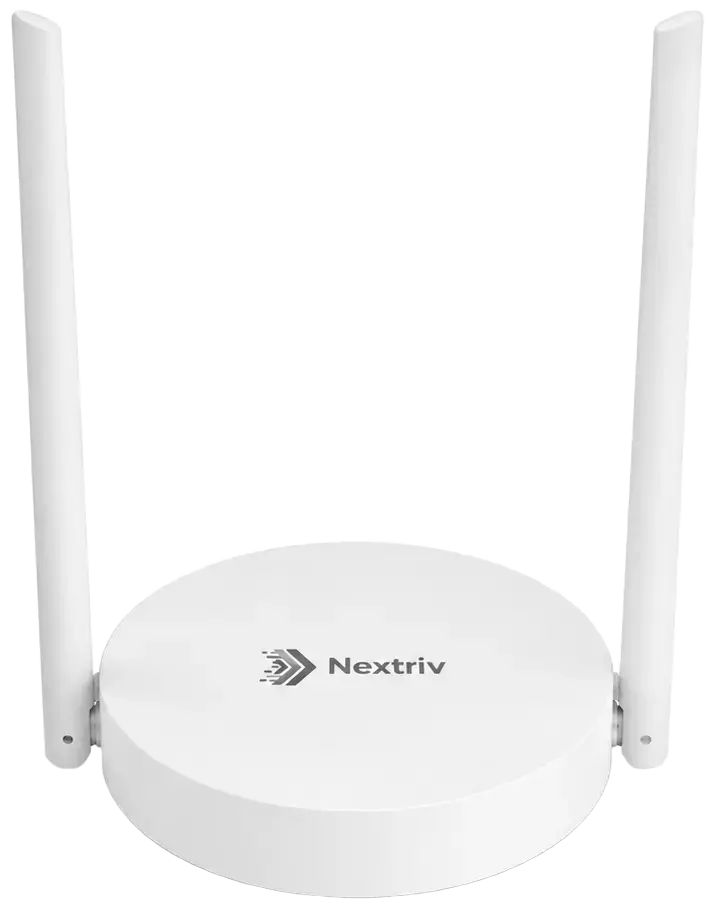
Nextriv Hub Mini is the simplest way to start: a "saucer" the size of a smoke detector, powered over USB-C or PoE, with an optional 4G modem. It's enough for an office, a small commercial unit or a single floor, and despite its size it will handle around 2,000 devices — a typical pilot wraps up within an hour.
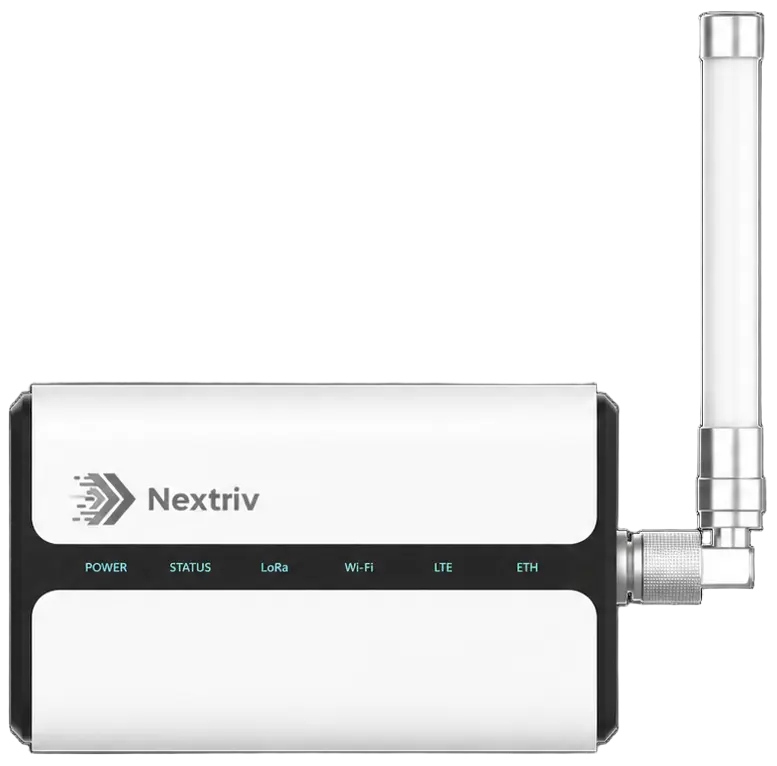
Nextriv Hub Pro is the workhorse for demanding deployments: IP65 sealing, operation from -40 to +70°C, single-cable power thanks to PoE, gigabit Ethernet and an external antenna connector. On top of that, it can expose data locally to building automation over BACnet and Modbus — the cloud and the BMS then look at the same numbers.
What happens in the cloud
On the platform side, a packet from the gateway becomes a fully fledged measurement: it lands on dashboards (nearly 20 widget types — from a simple reading to multi-series charts and floor plans), passes through alert rules with four thresholds per metric and event deduplication, and ultimately feeds PDF reports and XLSX/CSV exports. The platform also watches each sensor individually: no report for two intervals means offline status and a notification. How that data is encrypted and isolated between organisations along the way is something we cover separately in the article on sensor data security.

See this journey live
The best way to understand a gateway is to watch it at work: from inserting a battery into a sensor, through automatic device discovery, to the first point on a chart — the whole thing takes a few minutes. Book a demo and we'll walk this path together on live data; plan details and limits are in the pricing.


