
Long-range radio, WiFi or cable — how to connect wireless sensors
How to connect wireless sensors: cable, WiFi or long-range radio? We compare range, battery life, deployment costs and what it takes to maintain a fleet.
Zespół Nextriv4 min read

How do you connect wireless sensors to a monitoring platform — and should it really be wireless at all? The question comes up at the start of every project, and the answer determines most of the costs that follow: installation, maintenance and expansion. In practice there are three roads to choose from — a signal cable, the WiFi network and long-range radio — and none of them is universally "best". Each wins in a different scenario, and the mistake is not the choice itself but choosing without working out three things: what it costs to bring a measurement point online, who will maintain it, and what happens when the points number fifty.
Cable: certainty at a price per metre
A wired connection has advantages radio will never catch up with: transmission is deterministic, immune to interference in the ether, and the same cable often carries power — the battery drops out of the equation. That's why cable remains the natural choice where measurement points are few, critical and planned at the construction stage: in industrial automation, machinery and new technical installations.
The economics fall apart when retrofitting an existing building. Every metre of cable means trays, drilling, an installer's labour and sign-offs — the cost per measurement point runs into hundreds of PLN and grows with the distance from the cabinet. Moving a sensor ten metres means another crew visit, and heritage, rented or freshly finished interiors are often simply closed to cabling. It's worth knowing, by the way, that existing wired analogue probes (4–20 mA and 0–10 V signals) aren't lost when you change approach — you can plug them into the same platform through a gateway with industrial inputs, e.g. Nextriv Hub Edge.
WiFi: the network you already have — and its limits
A WiFi sensor tempts you with the promise of zero infrastructure: the network is already there, after all. At a small scale it works — a single device in an office with good coverage and a socket within reach doesn't justify any extra installation.
The limits show up with scale and topography. First, range: WiFi was designed for fast transfer of large volumes of data over short distances, so a reinforced-concrete wall, a basement or high-bay racking cuts the link — and sensors are wanted precisely where the office network doesn't reach. Second, energy: a WiFi radio draws enough power that a battery sensor lives days to weeks, so in practice every point needs a socket or a power adapter. Third, maintenance: a few dozen sensors on the corporate network means separate arrangements with IT, dedicated network segments and the risk that, after a password rotation, the whole fleet goes silent until it's manually reconfigured.
How to connect wireless sensors at building scale: long-range radio
The third road inverts WiFi's assumptions. Long-range radio transmits in the sub-GHz band, which penetrates walls and floors far better, and it carries packets of a few dozen bytes — exactly what a temperature reading, a level measurement or a pulse count weighs. In exchange for the modest throughput you get the two things that decide everything in monitoring: range on the order of 2 km in built-up urban areas and up to about 15 km in open terrain, and energy consumption so low that sensors run on batteries for years — typically 3 to 10, depending on the device and the interval. Why that's physically possible is something we break down in the article on sensor battery life.
The architecture is also the simplest of the three: the sensors talk over their own radio to a single gateway, and only that gateway plugs into the corporate network — one device on the LAN instead of fifty, which IT departments usually accept without discussion. A measurement point needs neither a socket nor a cable, so the cost of "bringing it online" is the cost of screwing a sensor to the wall.

The comparison in a nutshell
| Criterion | Cable | WiFi | Long-range radio |
|---|---|---|---|
| Cost of adding a point | high (installation, every metre) | low–medium (power adapter, configuration) | minimal (sensor mounting) |
| Powering the point | from the cable | usually a socket/USB | battery for years |
| Range | limited by the cable run | access point coverage; poor wall penetration | ~2 km in town, up to ~15 km in open terrain |
| Scaling to 50+ points | cost grows linearly with metres | growing network and IT burden | no infrastructure changes |
| Maintenance | low after installation | passwords, network segments, power adapters | battery swap every few years |
| Natural habitat | machinery, new installations, critical points | single devices near a socket | distributed monitoring at building scale |
The gateway: where the roads meet
Choosing long-range radio doesn't mean giving up cable and WiFi anyway — they merely change roles: from a road to every sensor into the uplink for a single gateway. You can see this clearly with Nextriv Hub Compact: an industrial DIN-rail gateway whose signal punches through three storeys up and down, with a single unit handling around 2,000 sensors — one such gateway in the telecom cabinet can cover an entire office building. The gateway connects to the internet over a triple link with automatic failover: Ethernet (with PoE power), WiFi or optional 4G — a failure of the primary link doesn't stop the monitoring.
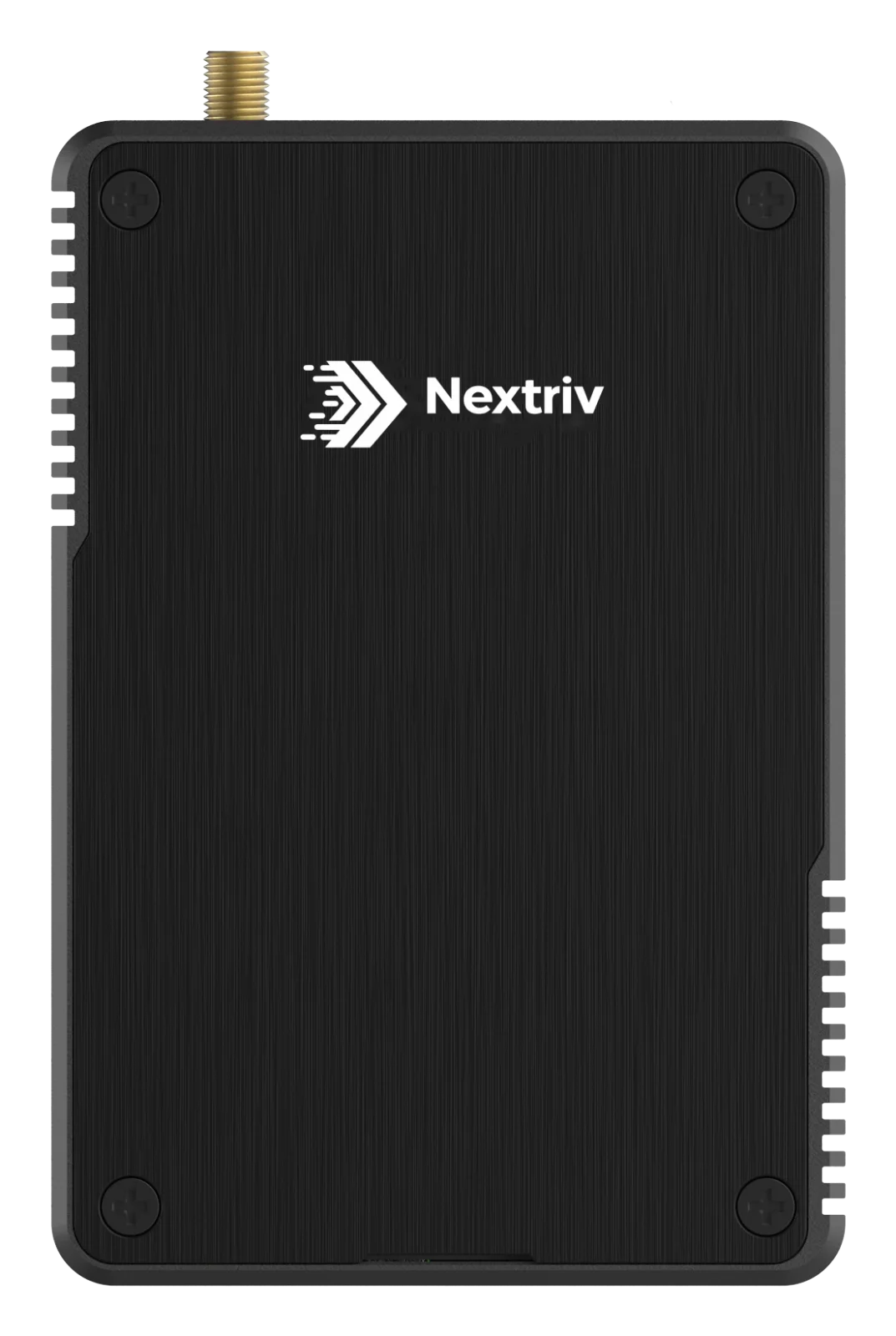
On the platform side, deployment is nothing like configuring a network: a new sensor joins automatically within 30–180 seconds of activation, and the system recognises its model from the first data on its own. When connectivity briefly drops, the sensors buffer their measurements and send them on once the connection is restored; a silent gateway gets offline status after 15 minutes, and the administrator gets a notification. We describe the measurement's full journey — from sensor, through gateway, to the alert on your phone — step by step on the how it works page.
How to choose in practice
The rule of thumb follows scale and dispersion. A handful of critical points within reach of a control cabinet, ideally designed together with the installation — cable. A single sensor in a small office with a socket at hand — WiFi will hold its own. Everything beyond that — dozens of points, basements and halls, heritage or rented buildings, manholes and open terrain — argues for long-range radio, because every additional sensor costs as much as its mounting. We ran that calculation on a concrete example of one sensor type in the comparison of a long-range radio vs WiFi CO₂ sensor.
The most reliable answer, though, comes from a pilot in your own building: the free plan includes 10 sensors and a gateway, so a range test in the trickiest spots of your site costs nothing beyond the hardware — details in the pricing. And if you want to see a sensor join the network in two minutes and report its first measurement, book a short demo.


