
Wireless sensor range in practice — how far it really goes and what decides it
Wireless sensor range is about 2 km in built-up areas and up to 15 km line of sight. See what really shortens it and how to win it back without rewiring.
Zespół Nextriv4 min read

Wireless sensor range is the first question in every monitoring conversation — and a question whose honest answer comes in two parts. The short part: in the Nextriv network it is about 2 km in urban surroundings and up to 15 km in open terrain, line of sight. The longer part: between those figures and your facility stand reinforced concrete slabs, racking full of metal, the lie of the land and a handful of installation decisions that can change the result by an order of magnitude. Below we take the topic apart: where the catalogue kilometres come from, what eats them in a real building and in the field, and how to win range back without chiselling walls or pulling cables.
Where those kilometres come from
Nextriv sensors transmit over long-range radio in the energy-efficient sub-GHz band (868 MHz in Europe). Waves at this frequency penetrate walls and floor slabs far better than the 2.4 GHz band known from WiFi — that is the first half of the advantage. The second is the nature of the transmission: a telemetry packet is a few dozen bytes, and the low data rate lets the gateway's receiver operate at a sensitivity of -140 dBm. In practice the gateway correctly decodes signals so weak that to typical office technologies they would be indistinguishable from noise.
That energy headroom can be "spent" in two ways: on distance in open terrain, or on punching through obstacles in a building. That is why the same technology delivers 15 km over fields and about 2 km in a city — and sometimes a few hundred metres in an exceptionally difficult facility. That is not a contradiction; it is physics. The whole journey of a measurement, from the sensor to the chart and the alert, is described step by step on the how it works page.
Wireless sensor range inside a building: what eats the signal
In built-up surroundings there is no single number — there is a list of obstacles, each of which costs part of the signal margin. A rough hierarchy, from the mildest to the toughest:
- Partition walls, furniture, glass — almost negligible cost; an open-plan office is nearly transparent to the radio.
- Brick and hollow block — noticeable attenuation, but a few walls are no problem.
- Reinforced concrete — a thick slab or structural wall can cost as much as several hundred metres of open space; basements and underground car parks are the classic dead zones.
- Metal — high-bay racking, machinery, sheet cladding and refrigerated chambers (steel plus insulation) do not so much attenuate the signal as reflect and shield it. A sensor shut inside a steel chamber is the hardest case in the whole catalogue.
On top of that comes a factor easy to forget: the position of the gateway itself. A device tucked away in a basement server room, behind three reinforced concrete walls, "sees" the building completely differently than the same device on a corridor ceiling on a middle storey. A practical heuristic: in light office construction one gateway serves a whole mid-sized building; in heavy reinforced concrete and industry you plan one point per hall or per few storeys.

In open terrain, line of sight rules
The 15 km figure is the result for an antenna mounted high, with a clear line of sight to the sensors. Every obstacle between the antennas takes kilometres away: rises in the terrain, buildings, and greenery too — wet foliage attenuates the signal distinctly more than dry, so the range in June and in November can differ. Hence the iron rule of field installations: antenna mounting height makes a bigger difference than anything else. A gateway on a mast, a chimney or a silo covers a radius the same device on the ground floor of a building could only dream of.
That is exactly how crop monitoring works: in-ground sensors scattered over hundreds of hectares report to a single gateway on the farm's mast — we wrote about that scenario in the piece on soil moisture monitoring.
How to win range back without chiselling walls
The good news: for most range problems there are solutions cheaper than fighting physics.
- Move the gateway. Central and high — a corridor ceiling, a middle storey, never a basement corner. The change costs nothing and often settles the matter.
- Take the antenna outside. Gateways with an N-type antenna connector let you leave the device under the roof and take the antenna (60 or 130 cm) out onto a mast or the roof edge — the signal will cover the car park, the canopies and the yard around the facility.
- Densify the network. A dead zone behind a thick slab is cheaper to "patch" with an extra small gateway such as the Nextriv Hub Mini than by overdimensioning the whole installation — the cost per point is low enough that it stops being an investment decision.
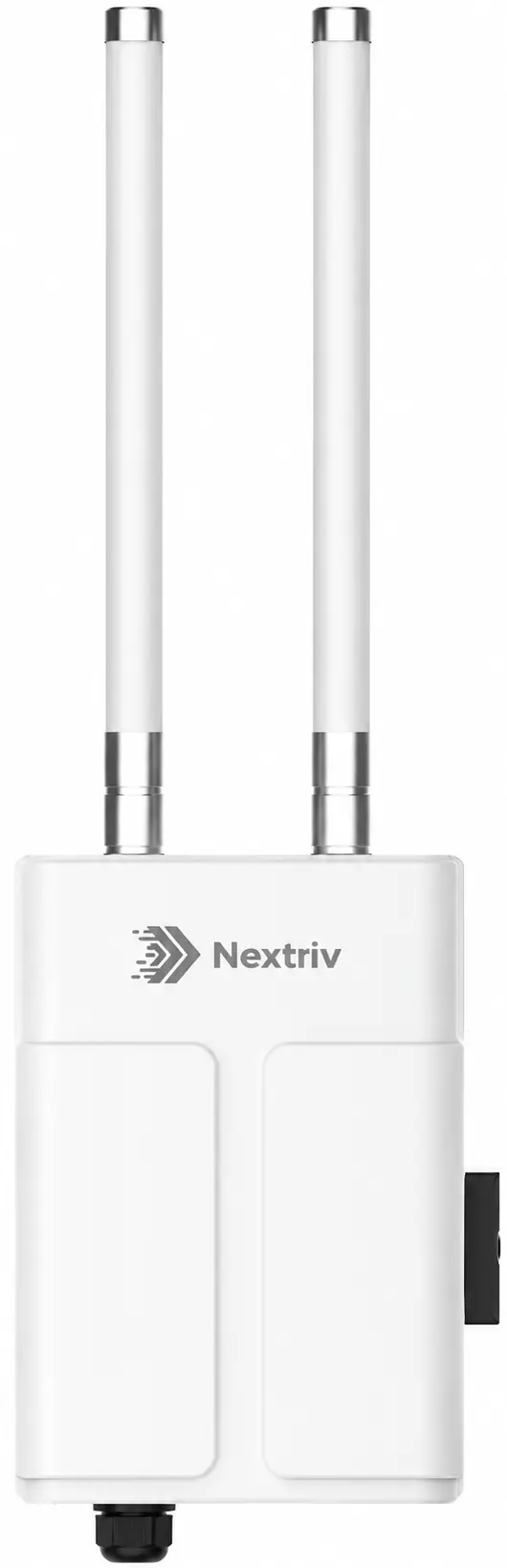
- For open terrain — a mast gateway. The IP67-rated Nextriv Hub Outdoor operates from -40 to +70°C, reaches the full 15 km line of sight with antennas on N connectors and aggregates data from around 2,000 sensors. At the scale of a municipality or a large farm that often means one or two gateways instead of dozens of points.
A weak signal does not vanish quietly
A well-designed system assumes the range will fail one day — and says so out loud. The Nextriv platform marks a sensor offline when it fails to check in for two reporting intervals (half an hour by default), and a gateway after just 15 minutes of silence; the notification goes out to the team before anyone spots a gap on a chart. A range problem thus shows up as a concrete alert with a device name, not as a hole in the data discovered weeks later.
Energy is worth remembering too: transmitting in difficult radio conditions costs more battery than transmitting with a healthy signal margin, so sensible gateway placement translates directly into years of device life — we break this down in detail in the article on sensor battery life.

Where to start: measurement instead of fortune-telling
The surest answer to "how many gateways does my facility need" comes not from a calculator but from a pilot: one gateway positioned by the rules above and a few sensors placed at the hardest points — the far corner of the hall, the refrigerated chamber, the basement. After a few days the data shows where the signal has headroom and where the network needs densifying. If you would like to walk through such a plan with us, book a demo — we will help match the placement to your specific building, and you can check the costs of any network expansion in the pricing.


