
Server room temperature monitoring — hot aisle, cold aisle in practice
Server room temperature monitoring in practice: hot aisle / cold aisle layout, ASHRAE's 18–27 °C guidance, rack-inlet sensors and thresholds with escalation.
Zespół Nextriv4 min read

Server room temperature monitoring is still often done with a single sensor next to the air-conditioning unit and a green light in the BMS. The problem is that a server room does not have one temperature: differences between the cold and the hot aisle reach a dozen degrees or more, and overheating starts locally — with a single rack that nobody measures. Below we show how the hot aisle / cold aisle layout translates into sensor placement, which alarm thresholds follow from the ASHRAE guidance, and what to do so that an overheating alarm finds the right person at three in the morning too.
Hot aisle, cold aisle — why a server room has many temperatures
A server draws cool air in at the front and pushes hot air out at the back. When racks are arranged front to front, alternating aisles form: cold ones, fed with chilled air from the cooling units (often through perforated raised-floor tiles), and hot ones, through which the heat returns to the cooling system. This layout organises the airflow and limits the mixing of air streams — it is the foundation of efficient cooling in any larger server room.
Two monitoring rules follow from it. First: the temperature that decides the life of the equipment is the one at the server inlet, i.e. in the cold aisle. The ASHRAE TC 9.9 guidelines recommend a range of 18–27 °C at the IT equipment inlet (the allowable ranges are wider and depend on the equipment class). Measuring in the hot aisle has value too — it tells you how effectively heat is being removed — but it will not replace measuring where the air actually enters the servers.
Second: the room average lies. A sensor under the ceiling will show a calm 23 °C while the rack at the end of the aisle, with poorer airflow, is already running at the edge of its specification. A hot spot is a local phenomenon — and it has to be measured locally. One sensor per room fails that requirement by definition.
Server room temperature monitoring: where to hang the sensors
A proven starting point looks like this:
- Cold aisle, rack inlets — a temperature and humidity sensor on the front of the rack, every 3–4 racks. This is measurement aligned directly with the ASHRAE guidance and with SLA thresholds.
- Hot zone — at least one sensor, to see the temperature difference between the aisles; how it changes over time reveals airflow problems.
- Critical points of the installation — industrial temperature probes in supply ducts, on heat exchangers and the chilled-water installation, where accuracy and resistance to harsh conditions matter.
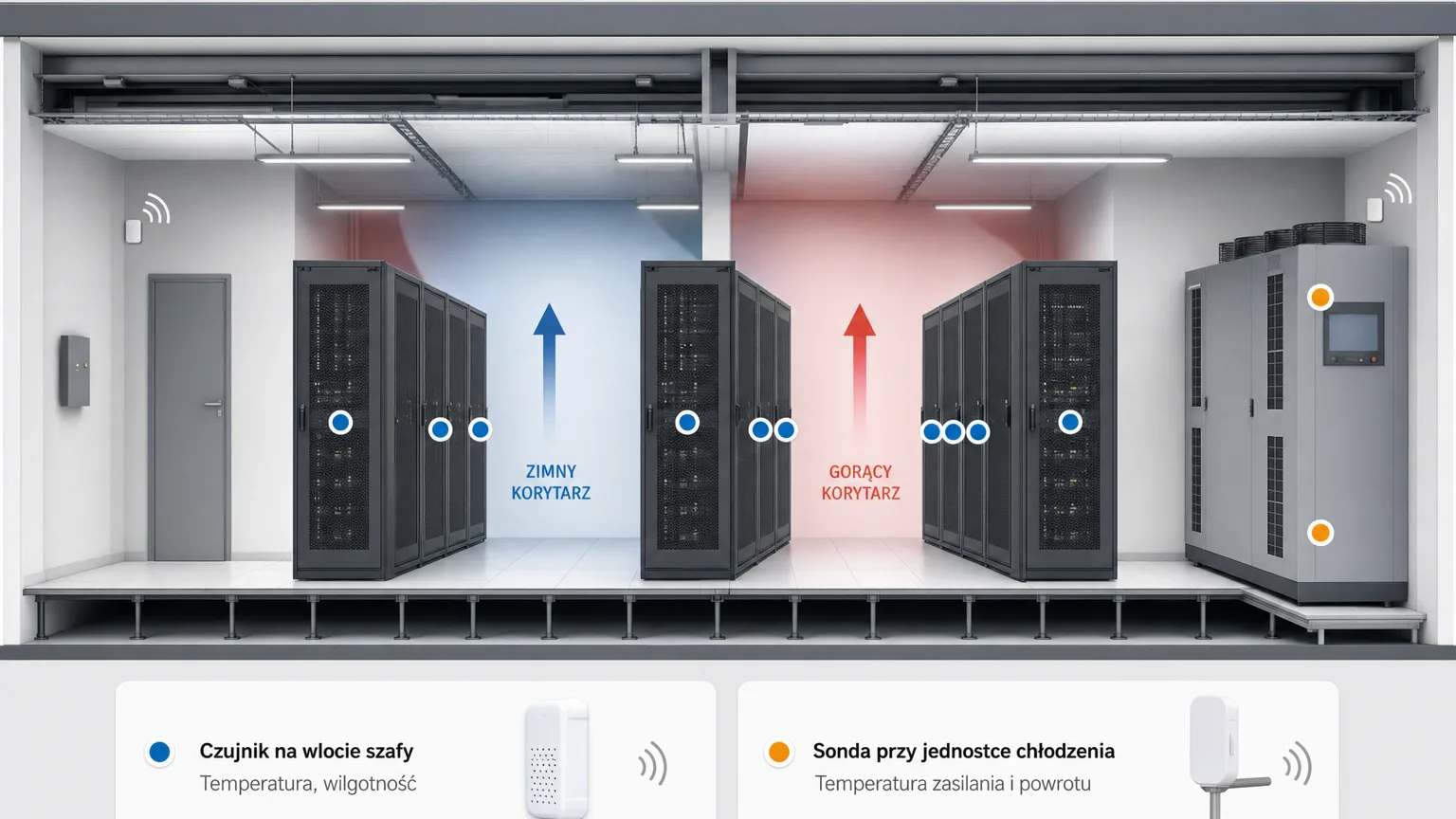
The whole installation needs no cabling: the sensors communicate over a long-range radio link whose signal passes through ceilings and walls, and replaceable batteries last for years. The gateway plugs into power and the network, the sensors mount with tape or screws — automatic device discovery registers them in the platform within 30–180 seconds of powering on.
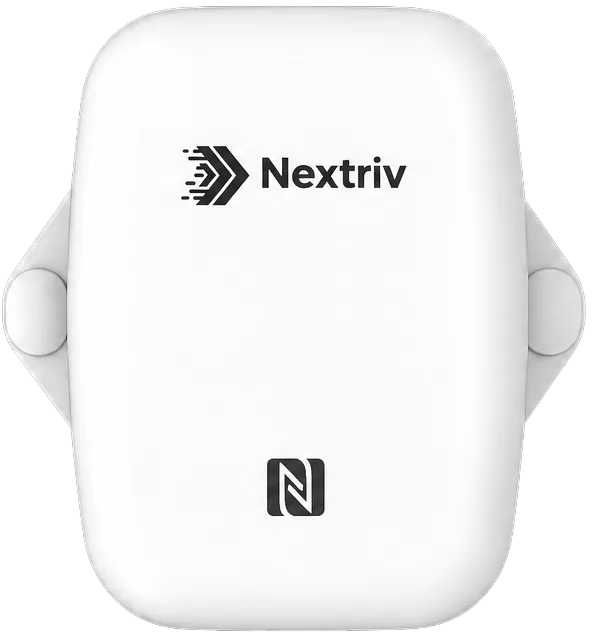
At the rack inlets, a universal sensor measuring temperature to within ±0.2 °C, in a sealed IP67 enclosure, works well. An important detail in case of a connectivity outage: a local buffer of around 3,000 readings with automatic retransmission means the history — and therefore the proof of meeting your SLA — has no gaps.
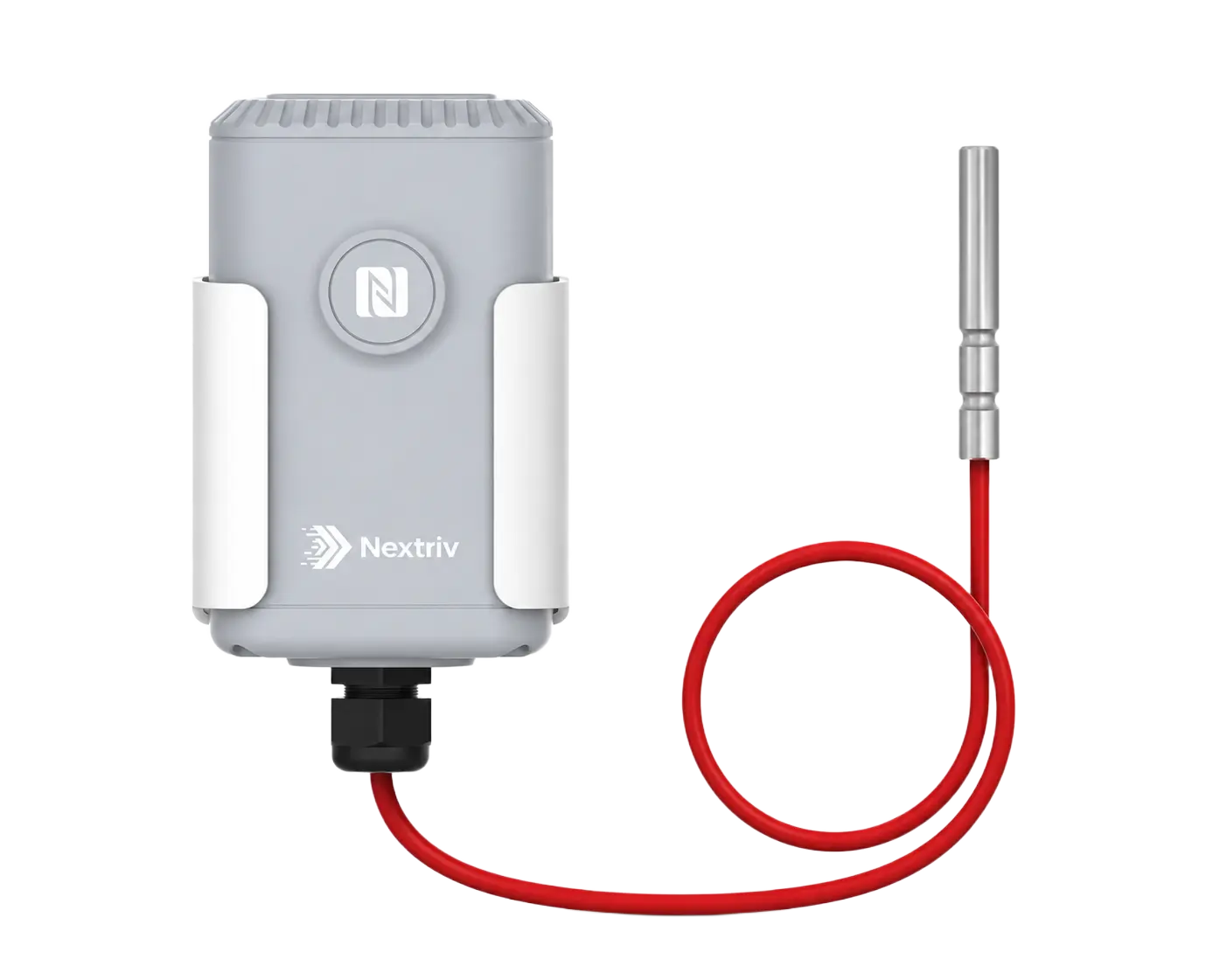
Where the measurement concerns the cooling installation itself, an industrial platinum probe is the better tool: Nextriv Probe PT100 measures with ±0.5 °C accuracy, and the probe on a lead lets you keep the transmitter outside the duct or heat exchanger. The battery lasts for up to 10 years of operation.
Alarm thresholds under ASHRAE — four values instead of one
Good thresholds are not a single number but four: in Nextriv every metric has separate warning and critical thresholds, lower and upper. For temperature at the rack inlet the natural setup looks like this:
| Threshold | Value | Response |
|---|---|---|
| lower warning | 18 °C | check the cooling setpoints — an overcooled room is pure energy waste |
| upper warning | 27 °C | verify cooling and load before things get genuinely hot |
| upper critical | 32 °C | immediate response from the person on duty, risk to the equipment |
Every breach opens an event with a unique code (e.g. ALM-4F2K81) and a severity level, and deduplication makes sure one problem equals one event — not an avalanche of identical notifications. A night-time cooling failure then plays out like this: the rack-inlet sensor reports 27.5 °C, the platform sends an email and a Teams notification to the person on duty, and an audible alarm sounds on the dashboard. No acknowledgement within 10 minutes triggers escalation — an SMS to the duty engineer. When the temperature reaches the critical threshold, notifications go a level up, and the webhooks integration can open a ticket in your ticketing system.
There is one more threshold that is easy to forget: silence. The most dangerous alarm is the one that never arrived, because the sensor stopped transmitting. Nextriv marks a sensor as offline after twice its reporting interval, and a gateway after 15 minutes without contact — and notifies you about that as well.
From chart to evidence: history, reports, SLA
Per-rack measurement generates dozens of charts — while a colocation customer's contract usually runs on a single number. Virtual sensors compute, say, the average cold-aisle temperature as a separate metric: that is what the NOC watches and what gets reported to the customer. Scheduled reports generate PDFs with a SHA-256 signature, a QR code and a verification address — a document you can hand to a customer or an auditor without a debate about its credibility. Raw measurements are stored for up to 1825 days (5 years), so a question about conditions three quarters ago stops being a problem.
The full deployment scenario — from hot spots, through leaks under the raised floor, to compliance with EN 50600 and ISO/IEC 27001 — is described on our solution page for server rooms and data centers.
Start with a single aisle
You do not have to instrument the whole room at once. A pilot is one gateway and a few sensors in the busiest aisle: tape mounting, automatic device discovery and the 18/27/32 °C thresholds set up in a few minutes. The FREE plan includes 10 sensors, one gateway and a year of measurement history — enough for a small server room without any subscription.
Compare plans in the pricing or book a demo — we will show you, on live data, what a rack overheating alarm looks like together with escalation and a customer report.


