Cold-Room Door Monitoring — Correlating Door Events with Temperature
How to monitor cold-room doors: contact selection, a shared timeline with temperature, response criteria, commissioning tests and recovery analysis.
Zespół Nextriv5 min read
In this article
- Why temperature alone is not enough
- How a door contact works
- One timeline for door state and temperature
- Deciding when an opening requires action
- A contact does not replace a temperature probe
- Commissioning and acceptance tests
- Interpreting an event
- An example Nextriv configuration
- Deployment checklist
- Sources
A temperature graph shows an effect but often does not explain its cause. A rapid rise can mean an open door, a long loading operation, a failed seal or a refrigeration fault. Without a record of door state, the team has to guess what happened inside the room. A simple door contact, aligned with temperature on the same timeline, turns an anonymous excursion into an operational event that can be interpreted correctly.
This does not make every opening a problem. Doors exist to support work, and short operations are normal. The purpose is not to alarm whenever someone enters. It is to distinguish normal traffic from behaviour that increases product risk or signals deteriorating refrigeration performance.
Why temperature alone is not enough
Cold-room air responds quickly. Opening the door admits warmer air; after closing, the refrigeration plant restores conditions. Goods, particularly dense loads or packaged products, have greater thermal inertia. A brief air spike does not necessarily mean an equivalent increase in product temperature.
Conversely, a series of short openings can keep the room unstable even when no single event appears serious. Once the start and end of each opening are known, the team can analyse:
- duration of individual openings;
- number of openings per shift or hour;
- temperature change during an opening;
- time to return to the normal band after closing;
- events outside working hours;
- differences between a normal cycle and unusual behaviour.
This is useful beyond alarming. A recovery time that lengthens after similar openings can point to evaporator icing, reduced cooling capacity, seal problems or a changed load. That context complements refrigeration failure prediction.
How a door contact works
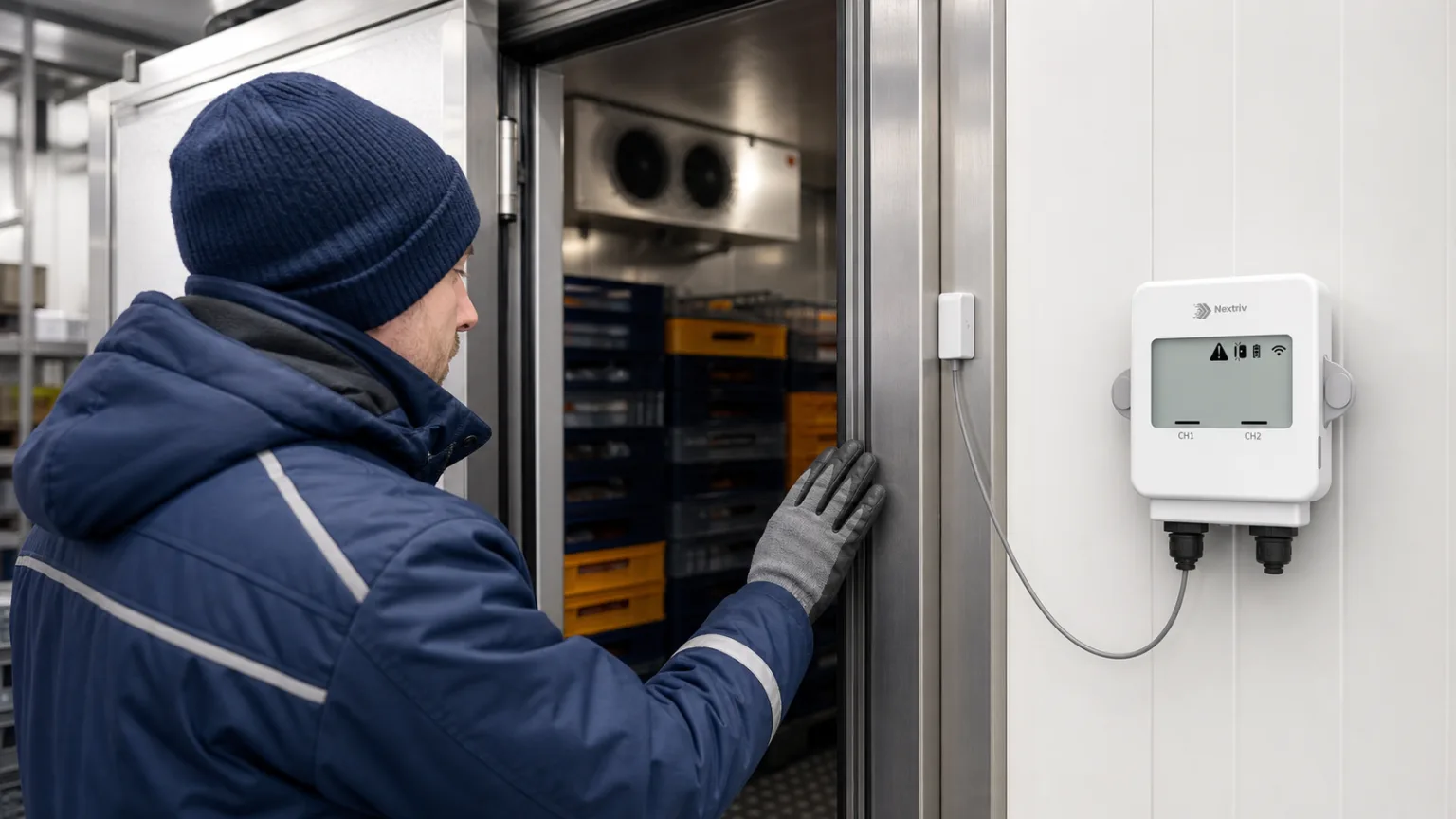
The common arrangement is a reed contact and a magnet. One part sits on the fixed frame, the other on the moving leaf. Bringing them together or separating them changes an electrical state that a recorder stores as closed or open. The principle is simple, but reliability depends on installation.
Consider the permitted gap, direction of movement, vibration, frost, possible trolley impact and cable routing. A magnet mounted too far away can create an unstable state. A component protruding into the doorway is likely to be damaged. In a wet environment, the enclosure and connections also need protection suitable for actual conditions.
Our guide to door and window contact sensors explains the operating principle and broader applications. In a cold room, electronics without a suitable ingress rating or operating-temperature range should not be placed inside the chamber. The contact can remain at the door while the transmitter stays outside, connected by a cable through an appropriate access point.
One timeline for door state and temperature
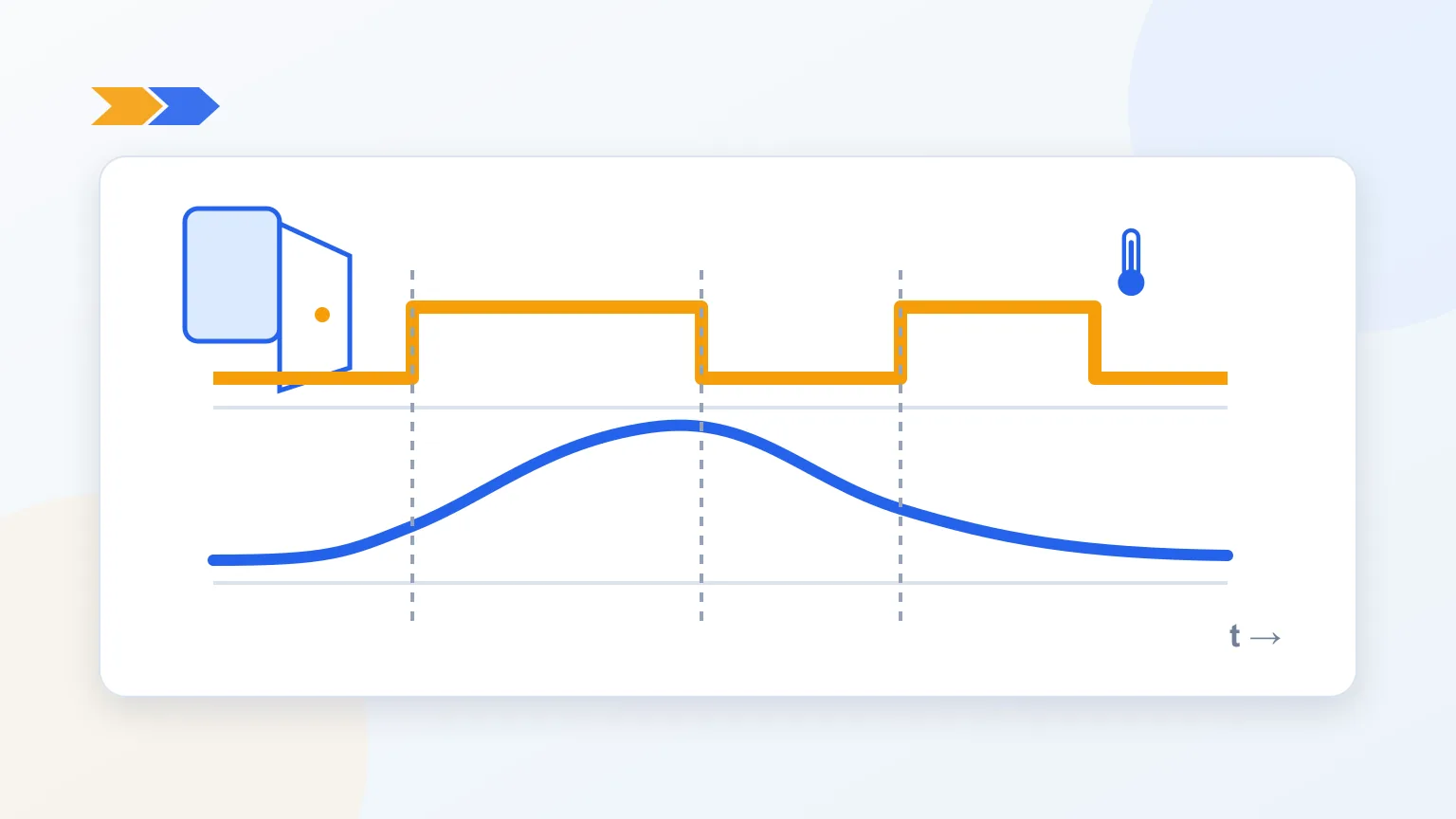
The most useful arrangement records both signals in one device or synchronises them to the same trustworthy clock. It then becomes possible to reconstruct the sequence:
- the door opened;
- air temperature began to rise;
- the door closed;
- temperature reached its peak;
- the room returned to its normal band.
If each signal uses a different clock or exports from two unsynchronised systems, a shift of a few minutes may lead to a false conclusion. A common timebase does not mean full redundancy, however. A probe and contact on one transmitter may share power, memory and communication. They provide correlation, not two independent safety systems.
Deciding when an opening requires action
There is no universal open-time limit that suits every room. One minute may be too long for a small cabinet and entirely normal in a pallet-handling cold room. Base the procedural limit on observed operations, temperature-distribution evidence and product risk.
A practical configuration process is:
- collect data over a representative week or full operating cycle;
- determine typical opening duration for receiving, picking and cleaning;
- measure how long the room takes to return to stable conditions;
- decide when an opening needs immediate action and when its duration should be assessed;
- define an early warning and a critical situation requiring escalation in the procedure;
- consider different rules for working and unattended periods where the process justifies it;
- review events with no operational significance and document every change of criteria.
Not every recorder or platform provides a native “door open longer than X” rule. If that automation is required, confirm that the selected device or integration supports a duration timer and validate the complete path. Do not confuse this with a delay between escalation steps: escalation starts after an event already exists and only determines when the next recipient is notified.
An overly sensitive alarm will soon be ignored. An overly lenient one responds only after conditions deteriorate. The criteria are therefore part of a controlled procedure, not a one-time number copied from a manual.
A contact does not replace a temperature probe
A closed door does not prove that refrigeration works. Compressor failure, power loss or icing can develop while the room remains properly closed. The door event should explain the temperature record, not replace it.
Probe placement also matters. A point by the door quickly detects incoming warm air but may not represent the whole room. A point at the supply-air outlet mainly shows refrigeration cycling. Permanent monitoring locations should be supported by mapping or a documented assessment of the most demanding zones. Our comparison of an external probe and an integrated sensor helps with the hardware choice.
Commissioning and acceptance tests
Before release, test the entire chain rather than only watching an icon change:
- open and close the door several times, including slowly;
- check that the recorded state does not chatter as the leaf moves;
- compare door-state and temperature timestamps;
- hold the door open for a controlled period and verify the recorded state change; if external open-duration logic has been implemented, verify that as well;
- confirm delivery to both the primary and backup recipient;
- disconnect the cable or simulate an approved fault where design and procedure allow;
- record the result, date and participants.
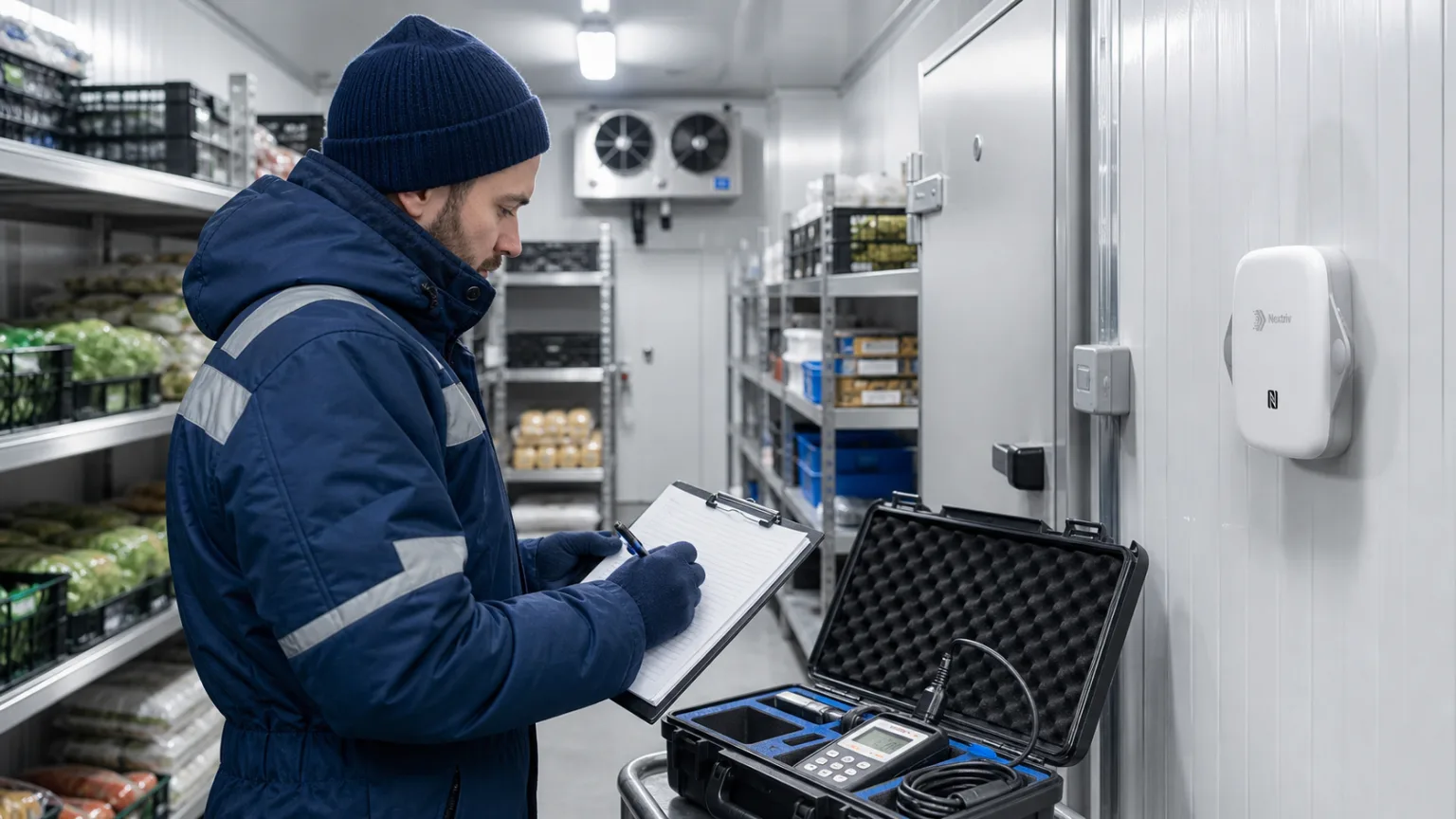
Repeat relevant tests after moving the contact, adjusting the door or replacing the transmitter, and periodically according to risk. Visual inspection should include mounting, cable condition, alignment, frost and impact damage.
Interpreting an event
After an alarm, “door open” is not a complete record. Capture the context: who performed the operation, why it took longer, how temperature changed and how quickly the room recovered. If a product limit was exceeded, the next decision belongs to the quality procedure. Closing the door does not erase the consequences.
For unattended periods, establish escalation in advance. Our guide to SMS alarms for cold-room failures shows how to connect a notification with ownership and backup cover rather than relying on one phone number.
An example Nextriv configuration
Nextriv Probe Pro Duo has two inputs that can accept a temperature probe and a wired door contact. The transmitter stays outside the cold room, while both channels share a common timebase. Local memory protects history during temporary loss of communication.
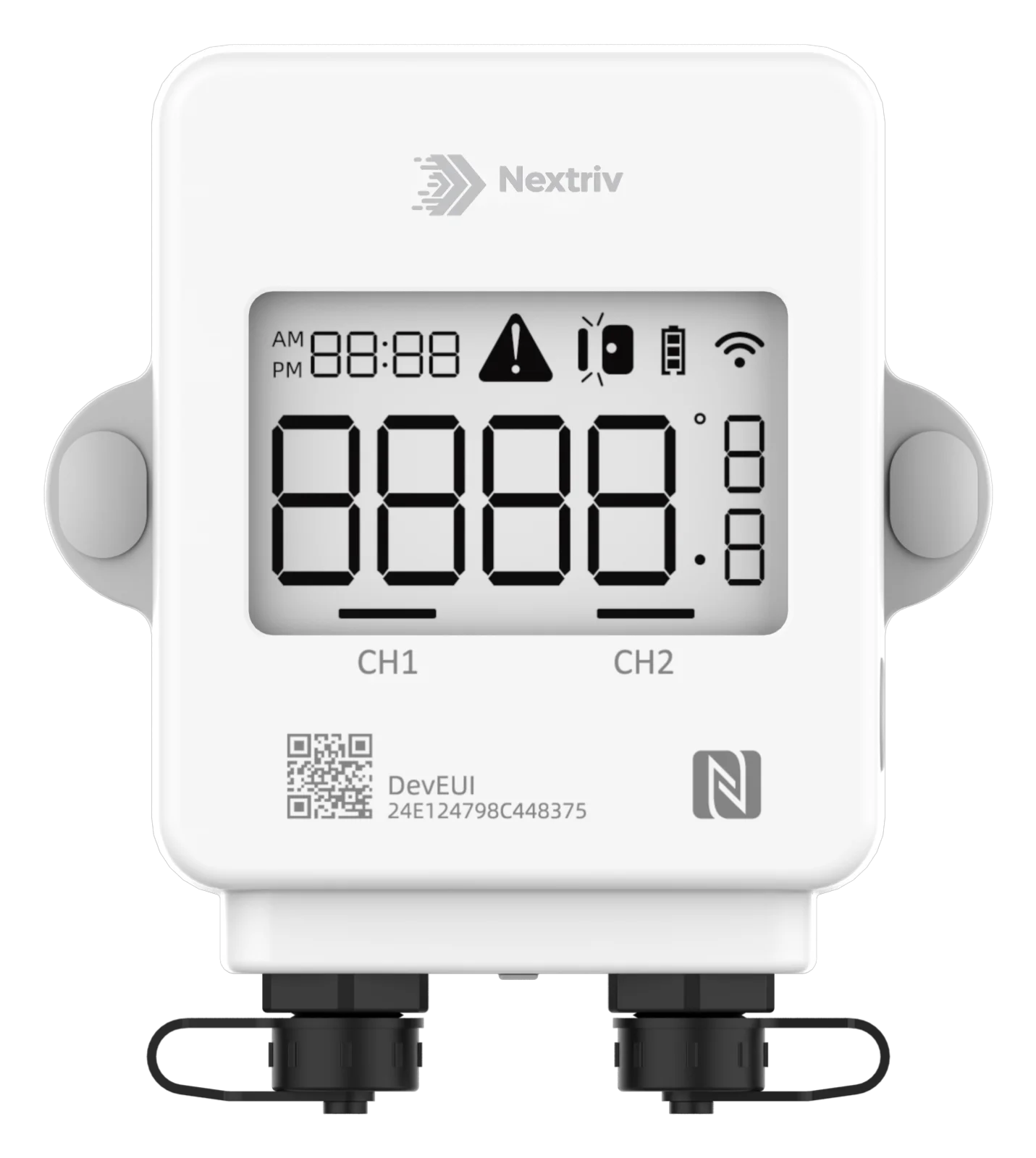
This arrangement simplifies event correlation. A standard Nextriv threshold rule evaluates the reported contact state immediately; the opening and closing history can then be used to calculate duration. Delays in an escalation policy govern notification of further recipients after an event exists; they do not postpone event creation. If the facility requires an automatic alarm only after a defined open time, the device or integration logic must be confirmed and validated separately. For a larger installation, include it in a complete cold-room and freezer monitoring plan covering probe placement, power, communication, calibration and response.
Deployment checklist
- Mount the contact outside impact zones and verify its gap tolerance.
- Keep the transmitter outside when required by its operating range and enclosure rating.
- Record door state and temperature on a common timeline.
- Derive the procedural open-time limit from real operating data, not an arbitrary online value.
- If an automatic timer is required, confirm it as a device or integration function — not an escalation delay.
- Separate normal work from events that require escalation.
- Test alarm delivery, backup recipients and the out-of-hours procedure.
- Analyse temperature recovery time, not only the instant of closing.
- Document inspections of mounting, cable and door sealing.
A door sensor creates the most value when it is not an isolated binary alarm. Combined with temperature and a response procedure, it shows the cause, dynamics and consequences of an event. The team can then improve working practices, recognise declining cooling performance earlier and make decisions from evidence.