
Floor plans with sensors — environmental data on the building layout
Floor plans with sensors show temperature, CO₂ and occupancy right on the building layout. How to upload plans, place markers and set per-floor alerts.
Zespół Nextriv4 min read

Floor plans with sensors solve a problem that shows up in every larger monitoring deployment: with ten devices, a named list is enough; with sixty across five storeys it stops meaning anything. "IAQ-3-south critical alarm" is a message every recipient first has to translate into a place in the building. The same alarm shown as a red marker on the third-floor plan needs no translation — the technician knows where to go before they finish reading the notification. Below we show how the floor plan view works in the Nextriv platform and how to place sensors on it so the data turns into a picture.
Why a sensor list stops being enough
Building monitoring scales faster than you expect. A pilot is usually a handful of sensors, and they all fit in your head. But the target deployment of an office building or a school is dozens of measurement points: air quality stations in rooms, temperature sensors in technical rooms, motion sensors in shared zones. Three things break in a list view:
- Locating events. Device names ("Room 3.12", "corridor B") require knowing the building by heart — a new security guard or service technician doesn't.
- Spatial patterns. An overheating south facade or a stuffy zone around one air handling unit are patterns you see on a plan instantly — and in a table, never.
- Communication. A conversation with the HVAC contractor or the property manager happens over a floor plan, not over a CSV export.
How floor plans with sensors work in Nextriv
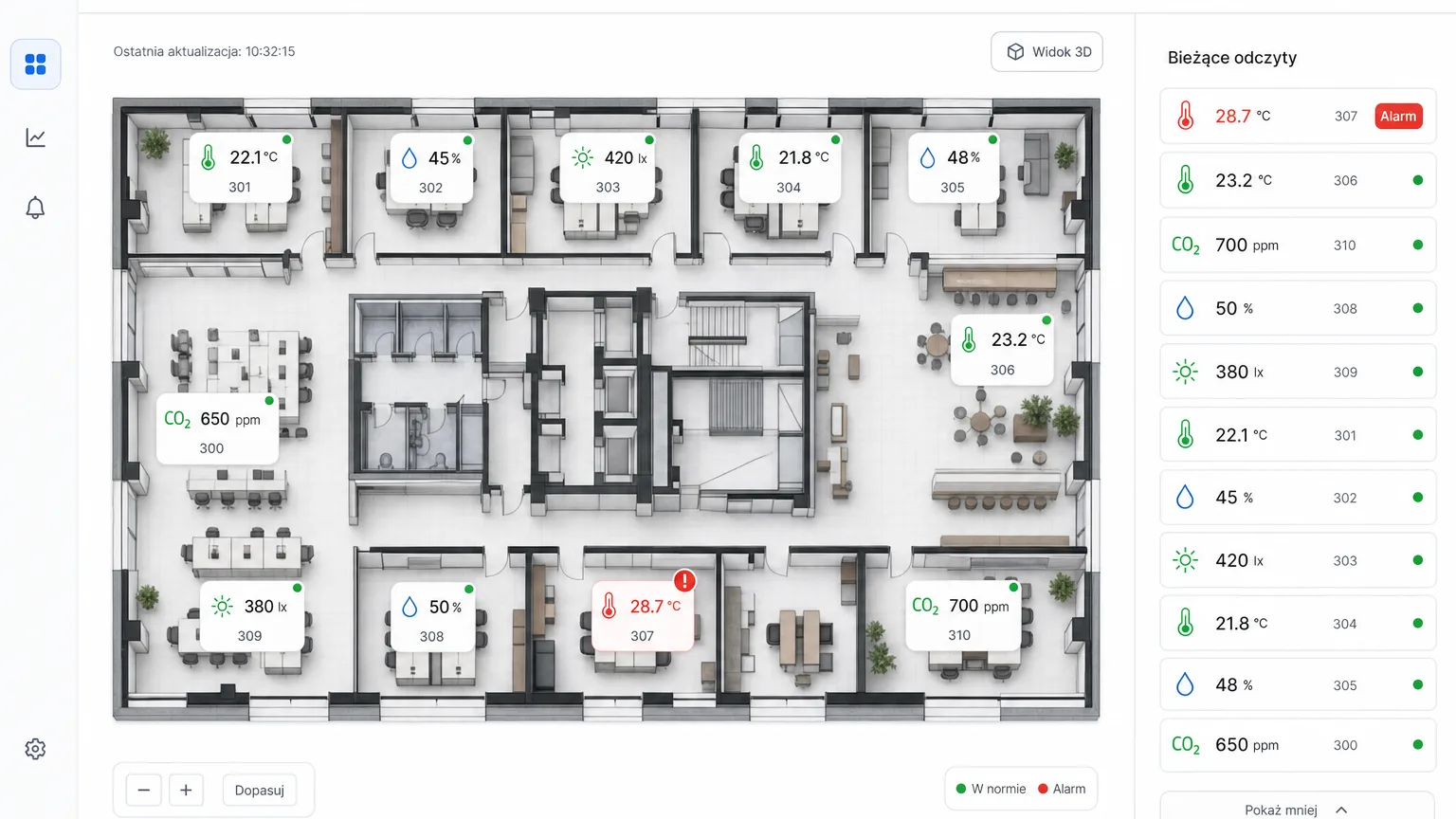
The structure mirrors reality: a location is a building, a building has floors, and the floors have sensors. For each floor you upload a plan — the platform accepts PNG, JPG, SVG and WebP files as well as PDF, so a base drawing from the architectural documentation or an evacuation plan is usually enough. Then you drag sensors onto their physical spots: each gets a marker with x/y coordinates on the plan.
From that moment the plan comes alive. Markers show current readings of selected metrics, and alarm status is visible per floor — you open the building and immediately see that everything is fine on the second storey while two events are active on the fourth. The floor plan is also available as one of nearly 20 dashboard widget types, so the plan of your most important storey can sit on the main screen next to charts and KPIs. The plan view can also be shared publicly — reception or security sees the situation on the floor without logging in and without an account in the system.
What to put on the plan: climate and occupancy
A floor plan shows what the sensors measure — so the strength of the view depends on the choice of measurement points. In offices and public buildings, a combination of two data layers works well.
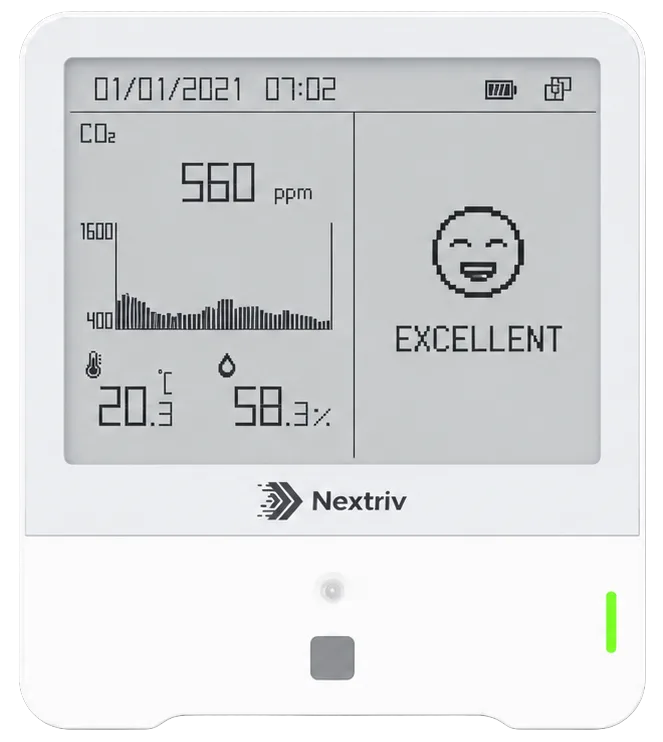
The climate layer. A multi-parameter station in every conference room and open zone gives the plan a full picture: temperature, humidity, CO₂, TVOC, light and presence from a single device.
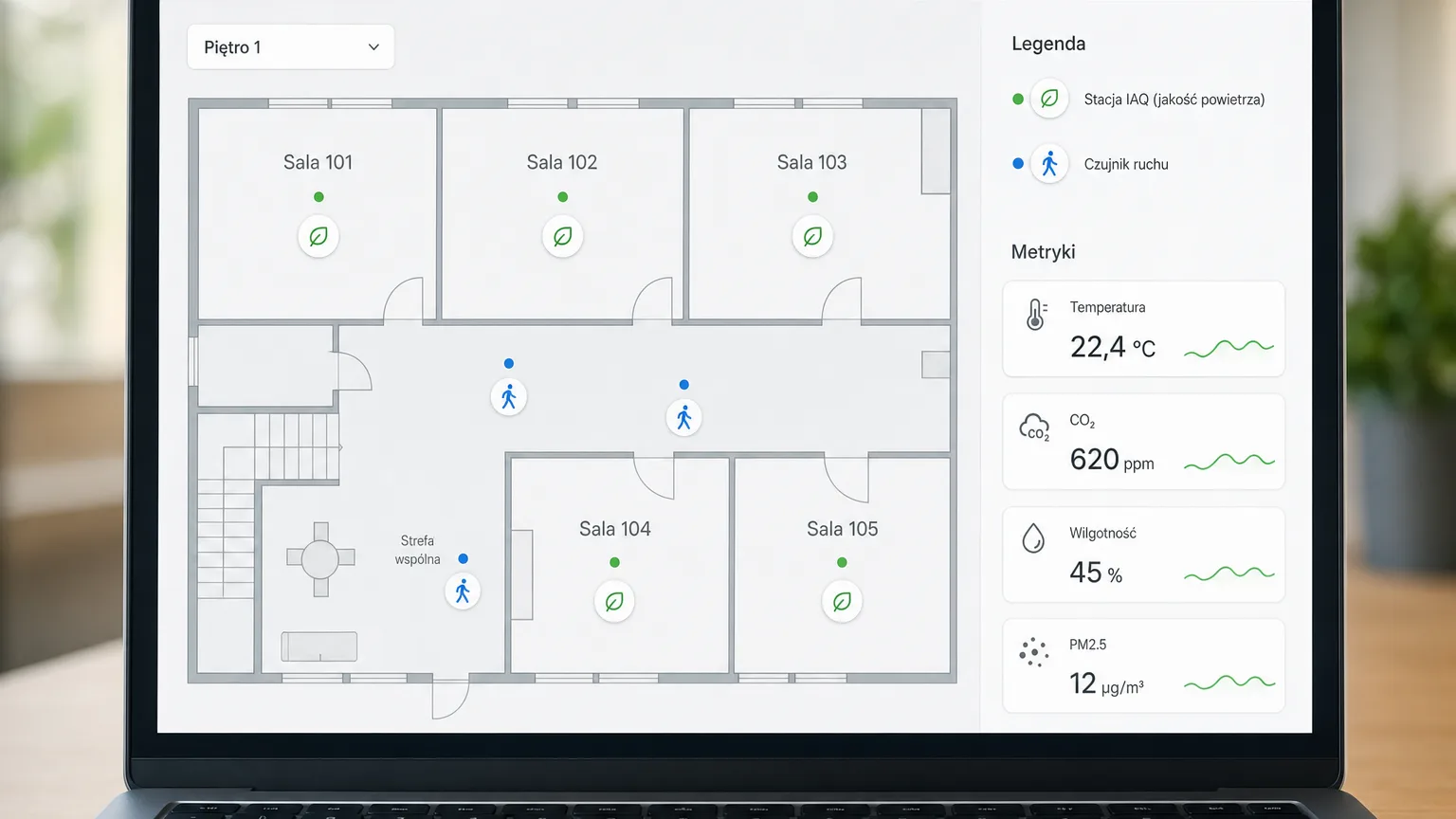
The occupancy layer. Where a full station isn't needed — technical rooms, storage, hot-desk zones, restrooms — a compact motion sensor is enough. It provides a binary presence signal and a light/dark status, with no cameras and no privacy intrusion, and the plan instantly shows which zones are actually in use.

The third, optional layer is technical points: a precise temperature and humidity sensor — e.g. Nextriv Sense Display with an e-ink screen — in a server closet, an archive or an electrical switchroom. On the plan such rooms are easy to distinguish from office zones, and their alarm thresholds are set independently of the rest of the floor.
Layering these views on a single plan answers questions a list will never handle: which rooms are overloaded (high CO₂ + continuous occupancy), where to clean by usage instead of by schedule, where movement appears after hours although the floor should be empty — and whether the stuffy zone matches the coverage of one specific air handling unit.
Alerts with floor context
Floor plans aren't just a viewer — they're context for alerts. Notification rules can be filtered by location, so a technician responsible for a specific building only gets its events, and alerts can be browsed per floor. Every threshold breach has a readable event code and a severity (info/warning/critical), and travels through channels the team actually reads: email, SMS, web push, Microsoft Teams, Discord or an audible alarm in the app. If nobody acknowledges the event, an escalation policy passes it on — e.g. after fifteen minutes by SMS to the facility manager.
Combined with the plan, this shortens the path from alarm to response: the notification says "what and how urgent", and the floor plan — "exactly where".
Rollout in practice
Launching floor plans doesn't require an integration project:
- Get the plans. An architectural base drawing, an evacuation plan, even a clean scan — PNG/JPG/SVG/WebP/PDF formats.
- Mount the sensors. Battery-powered devices mount with tape or screws and are configured by tapping your phone (NFC); the platform detects them automatically within 30–180 seconds of power-up.
- Place the markers. Dragging sensors onto the plan takes a few minutes per floor — and from then on every alarm has an address.
Two practical tips from real deployments. First, naming: even with floor plans it pays to name sensors by the "floor + room" pattern (e.g. "3 / south room"), because the same names appear in email and SMS notifications, where there's no plan to look at. Second, order: start with the storey generating the most complaints — the "finally we can see it" effect on one floor is the best argument for covering the rest of the building.
You'll find the full list of platform capabilities — from dashboards to reports and exports — on the system features page, and scenarios for office buildings, schools and public facilities in the solution for buildings and offices.
See your building in data
The best way to judge this view is on your own plan: book a short demo and we'll show floor plans on live data — with markers, alerts and a dashboard for your team. Plan details and limits are in the pricing.